Agent Skills Installation
Getting Semantius Agent Skills running takes three steps: install the Semantius CLI, set up credentials, then add the skills to your agent.
1. Install the Semantius CLI
The CLI is the bridge between your agent and your Semantius platform. Pick the installer for your OS.
Linux and macOS
curl -fsSL https://raw.githubusercontent.com/semantius/semantius-cli/main/install.sh | bash Windows (PowerShell)
irm https://raw.githubusercontent.com/semantius/semantius-cli/main/install.ps1 | iex The Windows installer places semantius.exe in %LOCALAPPDATA%\Programs\Semantius and adds it to your user PATH automatically. Open a fresh terminal afterwards so the updated PATH takes effect.
Verify the install by running:
semantius --version 2. Set Up Credentials
The CLI needs two values to talk to your platform: an API key and an organization name. The easiest way to get both is to ask your Ops MCP for them. Make sure the Ops MCP connector is installed first, then send this prompt to your agent:
I need the cli config The agent calls the Ops MCP and prints back the values you need:
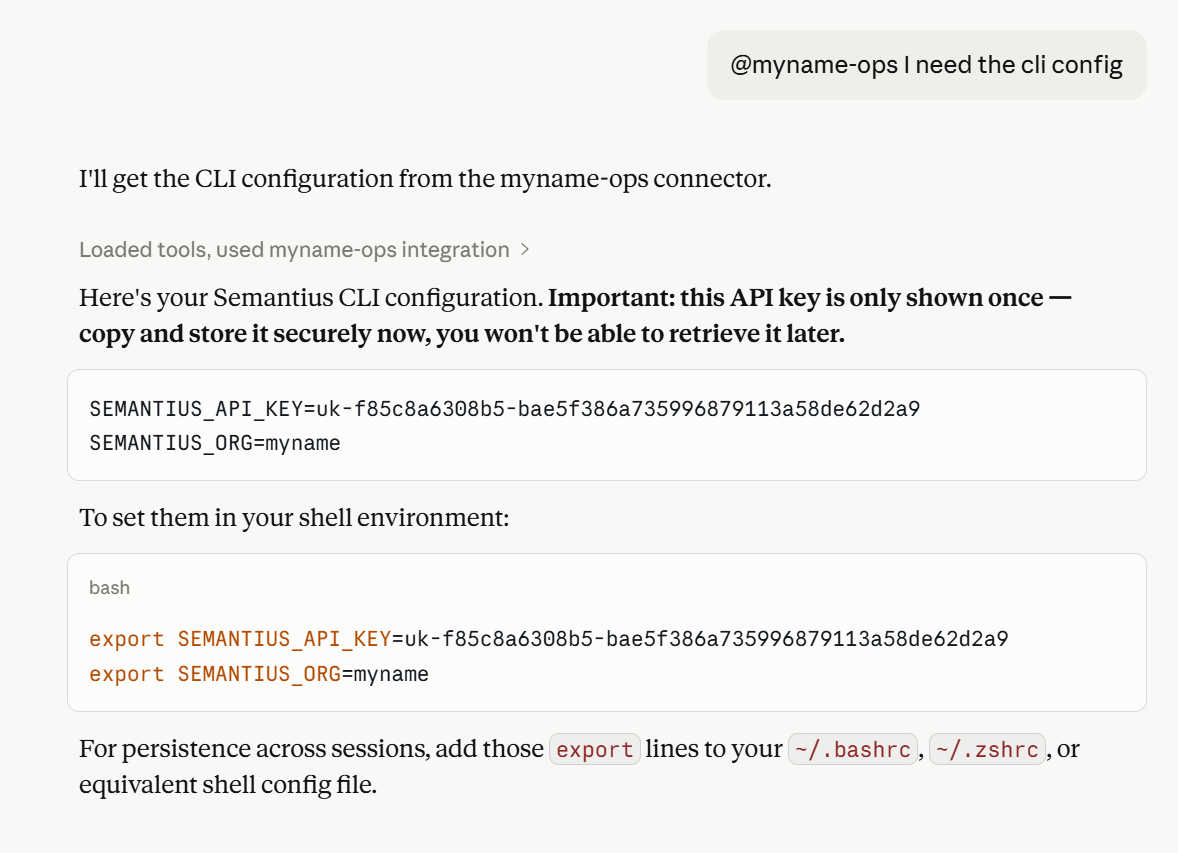
Provide them to the CLI in either of two ways. The CLI looks for a .env file next to the executable (Windows), in the current directory, or it picks up exported shell variables.
Option 1: export in your shell
export SEMANTIUS_API_KEY=your-api-key export SEMANTIUS_ORG=your-org-name Option 2: .env file
Drop a file named .env next to the executable or in the directory you run the CLI from:
SEMANTIUS_API_KEY=your-api-key
SEMANTIUS_ORG=your-org-name
That is all the configuration needed. The CLI automatically connects to your Semantius MCP servers (crud and cube), no separate config file required.
3. Install the Skills
With the CLI installed and credentials in place, pull the skill bundle into your agent. The exact command depends on which agent you use.
Claude Code, ChatGPT, and other agents that support npx skill
Most agents support the standard npx skill installer. Point it at the Semantius CLI repository:
npx skill install https://github.com/semantius/semantius-cli OpenClaw
OpenClaw uses its own skill installer rather than npx skill. Install the skills directly from the skills folder in the Semantius CLI repository using OpenClaw’s skill install workflow.
Either way, the installer registers the Semantius skills (Business Analyst, Schema Editor, RBAC Configurator, Deployer, and others) with your agent. The skills call the local semantius binary under the hood, so the CLI you just installed is what does the actual work.
Restart your agent after installing so it picks up the new skills.
Verify the Setup
Ask your agent something only the skills can do, for example:
“Use the Schema Editor skill to list the entities in my platform.”
If the agent invokes a Semantius skill and returns your model, everything is wired up correctly. If you get a permission error, the API key belongs to a user whose role does not allow the action: adjust the role in the admin dashboard, regenerate the key if needed, then update the credentials in your shell or .env file.
Next Steps
With the skills installed, pick a starting point:
- Create a Model →: build a custom semantic model from scratch with the Business Analyst skill.
- Templates →: browse curated, ready-to-use models you can deploy as-is or customize first.
- Deploy →: ship a model file to a live Semantius instance.
- Optimize →: pull a live module back into a markdown spec to audit and refine.